Core Strengths & Features
Magic Pointer v2
Alt + Click/Drag any region of your screen. Noos.AI captures and analyzes visual content, charts, and UI layouts using advanced multimodal vision.
Inline Ghost Writer & Voice Clone
Polish, reply, and shift tone in 1 click directly inside Gmail, LinkedIn, X, and Google Docs. Train Noos.AI on your writing samples so every draft sounds authentically like you.
Custom Persona Manager
Start with 1 free custom AI persona or unlock unlimited cloud-synced personas with Pro. Tailor every analysis, summary, and reply to your exact professional role.
The Live Cockpit
Our high-performance web dashboard for real-time intelligence. Stream audio, visualize context shifts, and manage complex projects in one hub.
1-Click Notion Sync & Report Links
Save structured AI analyses directly to your Notion workspace or generate public shareable report links and Markdown briefs with a single click.
Private & Secure AI
Built on Google's enterprise Gemini infrastructure. Your data is processed in real-time, never used for training, and belongs entirely to you.
The NoosAI Workspace
Your central hub for deep context intelligence. When the extension captures the spark, the Workspace fuels the fire.
Live Cockpit
Stream real-time audio and visual context directly into our high-performance dashboard. Perfect for live meetings and multi-stream analysis.
Launch Cockpit →The Studio
The ultimate environment for deep textual synthesis. Refine your personas, generate long-form reports, and store your analysis history.
Enter Studio →Context Reports
Generate beautiful, shareable reports that visualize sentiment shifts and spatial context over time. Intelligence you can show the world.
View Sample Report →Free vs. Pro
| Feature | Free Daily Pilot | NoosAI Pro |
|---|---|---|
| Daily AI Actions | 10 Actions / day | Unlimited Extension + 1,000 Studio / mo |
| Magic Pointer (Alt+Click Vision AI) | Included | Unlimited High-Res Vision |
| YouTube Video & Full-Page Summarizer | Included | Unlimited |
| Inline Ghost Writer (1-Click Polish, Reply & Tone inside Gmail, LinkedIn, X, Docs) |
Included in Daily Pool | Unlimited + Custom Voice Clone |
| AI Voice Cloning ("Train Your Voice") | Free DNA Preview | Full Active Voice Clone Everywhere |
| Custom AI Personas | 1 Custom Persona | Unlimited + Cloud Sync |
| 1-Click Notion Sync & Shareable Report Links | Included | Priority Cloud Sync |
| Processing Speed & Support | Standard | Priority Fast-Lane |
Prefer listening? Hear how NoosAI works:
How it works
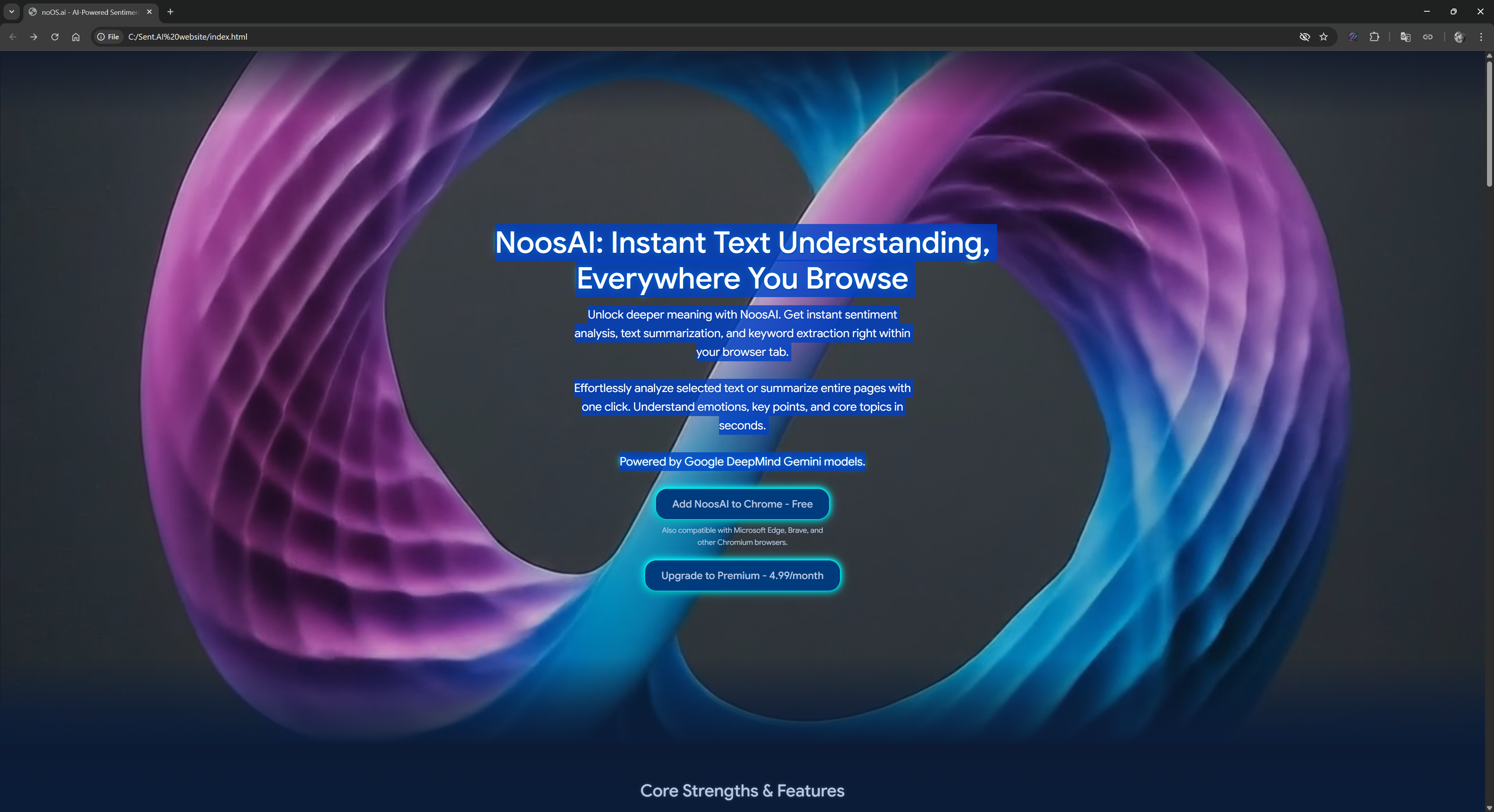
1. Spatial Capture (The Extension)
Use the Magic Pointer (Alt + Click/Drag) to capture anything—charts, code, or dense UI—directly from your browser.
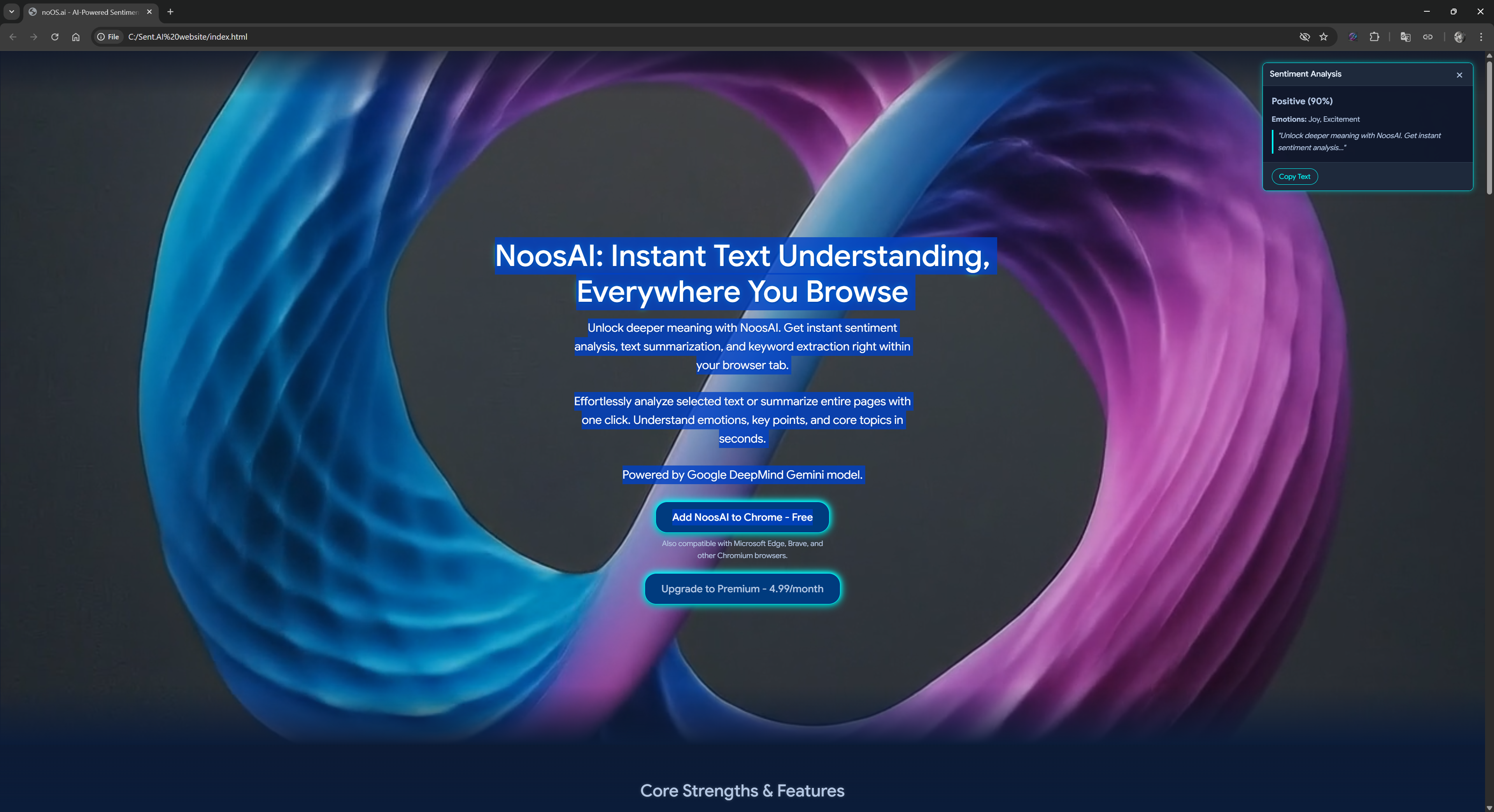
2. Intelligence Synthesis (The Studio)
Dive deep in the NoosAI Studio. Use custom personas to synthesize data, analyze tone, and transform raw captures into actionable intelligence.
3. Context Sharing (Professional Reports)
Generate beautiful, visualized reports. Share your findings with the world through sleek, shareable dashboards that visualize the "Context Journey."
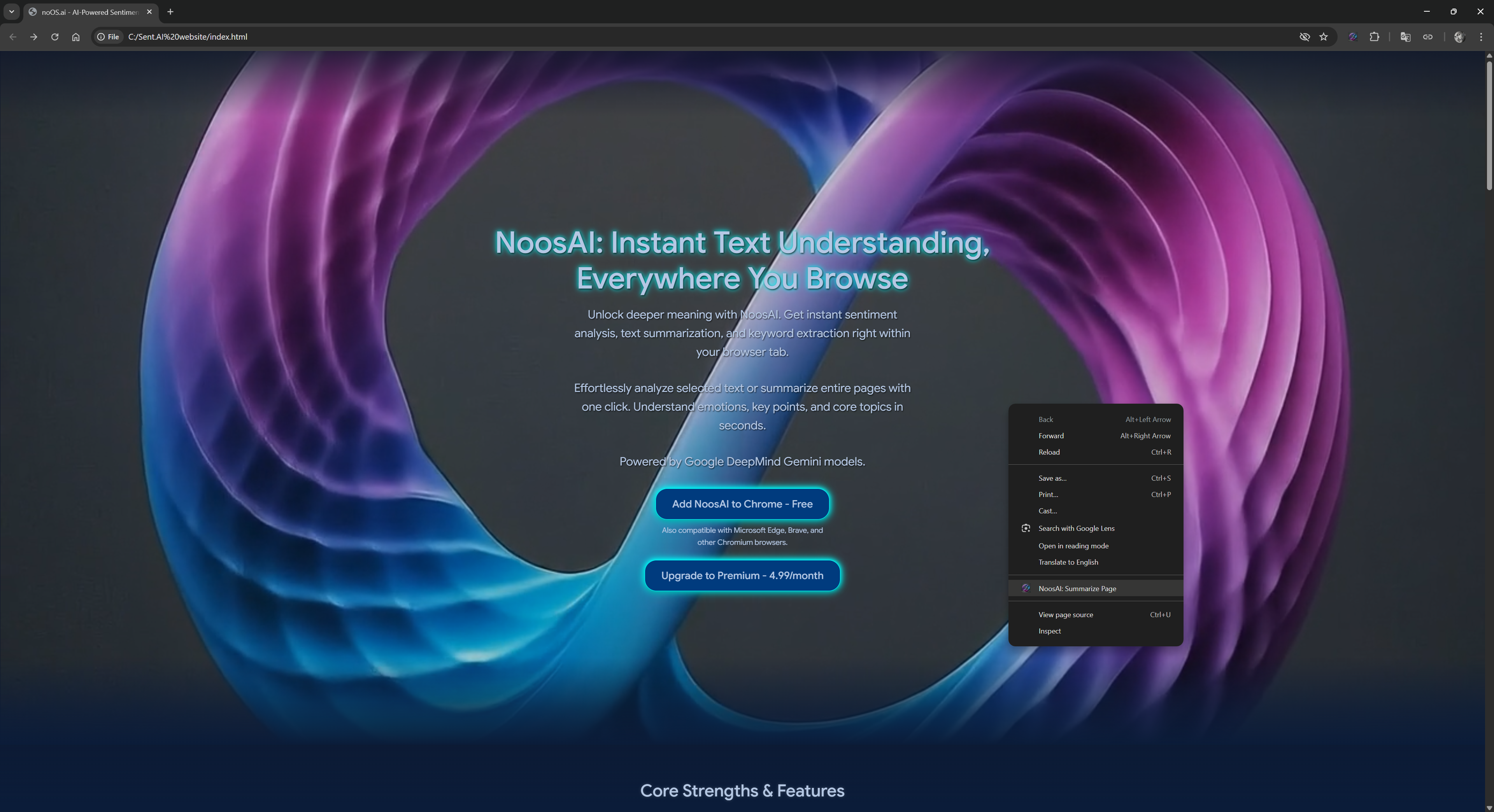
How to Activate License
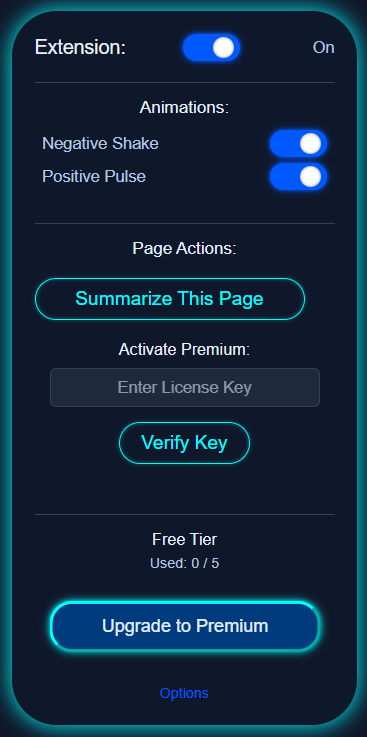
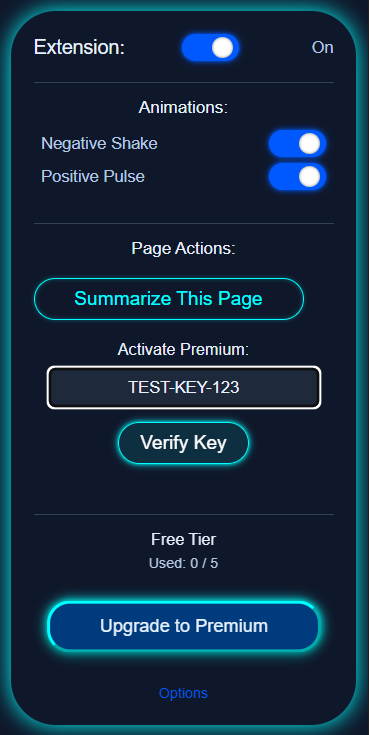
1. Open Activation Panel
Open the NoosAI extension from your browser toolbar, or simply click the glowing Quota Pill at the top of the NoosAI Studio Web Workspace.
2. Enter License Key
Copy the secure license key received upon checkout and paste it into the activation card input box (supported seamlessly on both platforms).
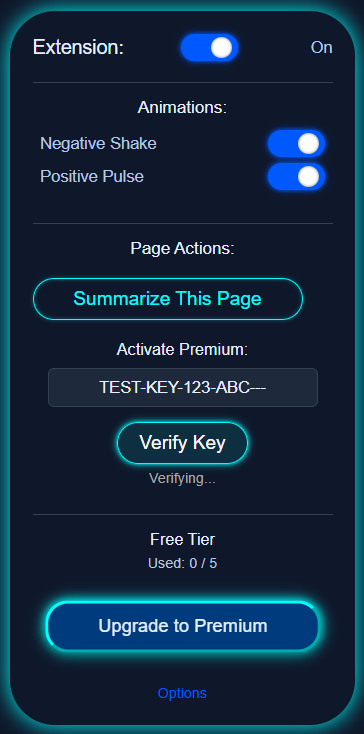
3. Instant Verification
Click "Verify & Activate". Our unified licensing endpoint will authenticate your license and upgrade your active browser session instantly.
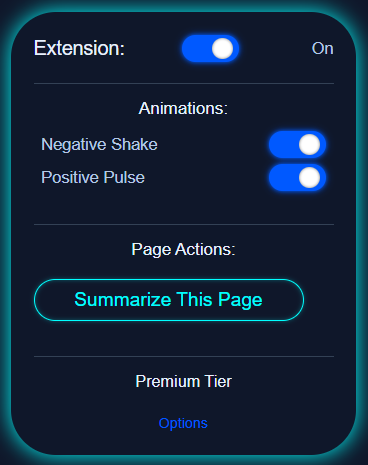
4. Unified Premium Unleashed
Your upgraded status syncs immediately! Enjoy unlimited Magic Pointer captures, full Studio AI capacity, and high-speed Live Cockpit sessions.
Who is NoosAI For?
NoosAI is designed to empower a wide range of individuals and professionals by providing instant AI-powered insights and text augmentation tools directly in their browser. Here’s who can benefit most:
Developers & Engineers
Quickly grasp the sentiment and tone of technical discussions, bug reports, or PR comments. Use Magic Pointer to visually explain architecture diagrams or UI layouts, and summarize lengthy API documentation in seconds.
Writers & Content Creators
Train Noos.AI on your personal writing style with AI Voice Cloning, and use the Inline Ghost Writer inside Google Docs, X, and LinkedIn to polish drafts, shift tone, or reply in 1 click without ever leaving your editor.
Students & Researchers
Boost your learning and research efficiency. Summarize dense academic papers and YouTube lectures in seconds, ask follow-up questions in real time, and sync structured notes directly to your Notion workspace with 1 click.
Business Professionals & Marketers
Enhance productivity by analyzing customer feedback, social media threads, and emails for sentiment and tone. Draft executive replies in Gmail with Ghost Writer, and share visual Context Reports with clients via public shareable links.
What Users Are Saying
Incredibly useful for quickly checking the tone of articles and comments before replying.
The confidence score is a game-changer! Helps me understand how much weight to give the analysis.
Simple, fast, and does exactly what it promises. Saves me a lot of time.
Unlock the Full Power
Choose the plan that's right for you. Start with our free daily pilot or supercharge your productivity with a professional subscription.
Feedback & Support
Support & Business Inquiries
Need help, team licenses, or custom AI solutions? Reach out – we're ready to assist.
Contact UsReport an Issue / General Feedback
Encountered a bug or have general feedback? Tell us directly! It's the fastest way we can help and improve NoosAI. We appreciate you reaching out to us first.
Give FeedbackSuggest a Feature
Have a brilliant idea for NoosAI? Share your feature suggestions and help shape its future!
Suggest a FeatureManual Install / Beta
Want to try the latest unreleased features or need to install manually?
View Manual Install GuideOur help page includes instructions and links to beta versions on GitHub.
Enjoying NoosAI?
If NoosAI is making your Browse experience better, we'd be incredibly grateful for a review on the Chrome Web Store! Your positive feedback helps others discover NoosAI and supports our continued development.
(If you're facing any issues or have suggestions, please use our feedback channels first – we're here to help!)